

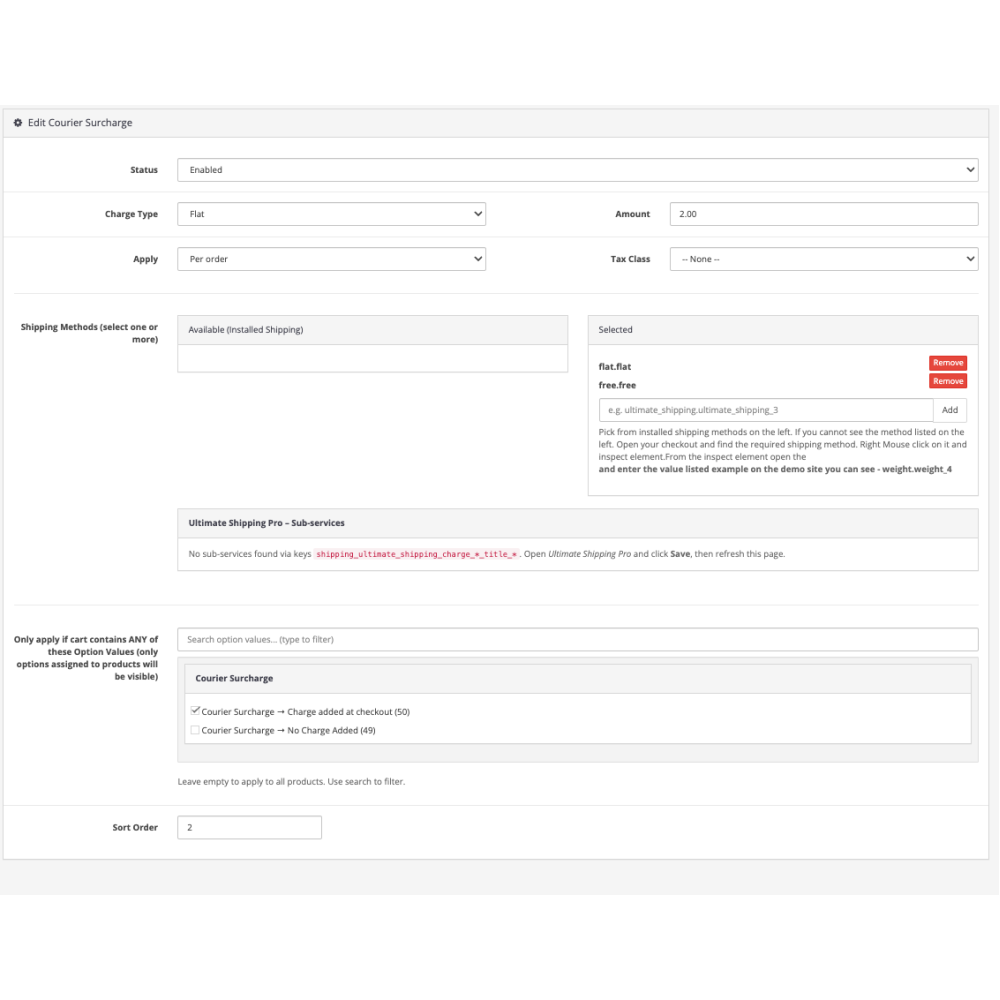
How to Test the Courier Surcharge Demo
This demo is designed to show how the Courier Surcharge extension applies additional delivery charges at checkout based on the selected shipping method.
To test it properly, follow these steps:
-
Add the demo product to your basket and proceed to checkout.
-
Enter a valid UK delivery address so shipping methods are displayed.
-
Choose one of the available courier or shipping options.
-
Once a shipping method is selected, the courier surcharge will automatically be added to the order total.
-
Change the shipping method to see the surcharge update in real time.
-
Continue to the payment step to confirm the surcharge remains applied correctly.
The surcharge is displayed as a separate line in the order totals, clearly showing how extra courier or handling fees are added on top of the base delivery cost.
This demo uses example values for testing purposes only. No real courier fees are charged, and the surcharge exists solely to demonstrate how the extension behaves during checkout.
Courier Surcharge Demo
- Product Code: Courier Sur Charge Demo
- Availability: In Stock
-
$10.00
- Ex Tax: $10.00